Orchestrator Generator
One of the main features of Mia-Platform is the automatic generation of the orchestrator files, ready to be deployed; these files are saved in the configuration repository. For instance, the Console can generate Kubernetes files and deploy them on your runtime based on the Design configuration you provided.
However, in some scenarios, you may want to generate these files differently: in this case, you have to use an Orchestrator Generator. This enables you to tailor the deployment process to your specific needs and the functionalities offered by your chosen orchestrator, achieving a level of customization not readily available with the default Mia-Platform generation.
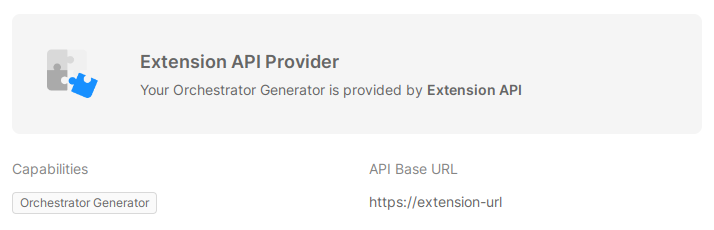
When the Orchestrator Generator Extension is enabled, the Console sends a POST request to a configured Provider's API Base URL to generate the files to be deployed. The request body contains some information about the Project and the Configuration, and the Console expects to receive, in response, the files to be saved and deployed.
An Orchestrator Generator can only be used when the Enhanced Project Workflow is enabled.
Setup
To enable the Orchestrator Generator on a Project, follow these steps:
- check that the Enhanced Project Workflow is enabled for the Project;
- connect a Provider of type Extension API Provider with the Orchestrator Generator capability to its Company, as described in the Extension API Provider page;
- navigate to Project Settings and click on the Providers tab;
- enable the Orchestrator Generator extension in the Extensions section, selecting the Provider previously connected.
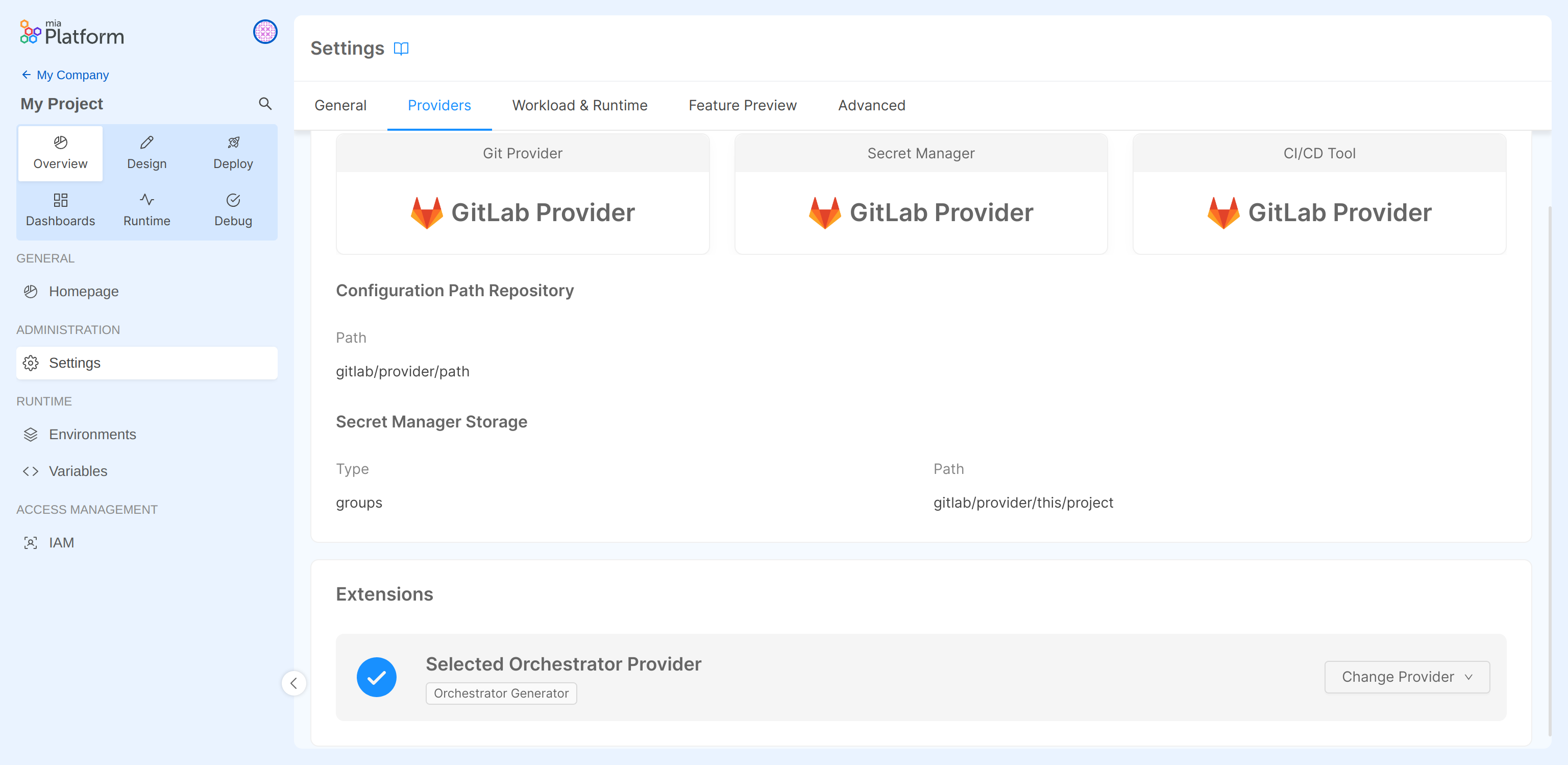
The Providers suitable for the Orchestrator Generator Extension are the ones featuring the Orchestrator Generator capability. Every Provider with such capability can be selected to enable the Extension.
If no Provider with the Orchestrator Generator capability is connected to the Company, the Orchestrator Generator Extension will not appear in Project Settings.
Sequence diagram
This is a simplified schema of the Orchestrator Generator's operation.
Request format
Authentication
The Console will authenticate using the method specified while connecting the Provider, which can be Bearer Token or Basic Auth.
Body
The payload sent to the Extension is shaped as follows:
{
  "project": {
    "name": "<Project Name>",
    "id": "<MongoId>",
    "projectId": "<projectId>",
  },
  "tenant": {
    "name": "<Company Name>",
    "id": "<tenantId>",
  },
  "configurationRef": {
      "name": "<Revision or Version Name>",
      "type": "revision"|"version"
      "changesId" "<identifier of the changes - only for enhanced workflow projects>"
  },
  "environment": {
    "id": "<envId>",
    "name": "<Env name>",
    "isProduction": true|false
  },
  "configuration": {
    "services": {
      "serviceName": {
        "name": "serviceName",
        // ...all services configurations
      }
    },
    "configMaps": {
      "config1": {
        "name": "config1",
        "files": [{
          "name": "file1",
          "content": "file1 content"
        }]
      }
    },
    "serviceAccounts": {
      "serviceAccount1": {
        "name": "serviceAccount1"
      },
      // ...other service account definitions
    },
    "unsecretedVariables": {
      "PUB_VAR_1": "<value of PUB_VAR_1 for the selected environment>",
      // ...other public variables
    }
  }
}
Here is a quick overview of the content of the payload sent:
| Field | Description |
|---|---|
project | Information about the Project for which the deploy has been triggered |
tenant | Information about the Company |
configurationRef | Information about the configuration version/revision to be deployed. (NOTE: From Console v14.5.1, the configurationRef includes only the changesId field, if the project uses the Enhanced Workflow) |
environment | Information about the Environment for which the deploy has been triggered |
configuration | A subset of the configuration of the Project, which includes services, configurations, service accounts and unsecreted variables, as set in the Console UI. This is the main field of the payload, as it contains all the information about the Project configuration that the Orchestrator Generator needs to generate the files to be deployed. |
The configuration object includes:
| Field | Description |
|---|---|
services | Object holding the configuration of all the Services of the Project. Each key is the name of a service and its value is an object describing the service configuration, as configured and stored in the configuration project. More details in the dedicated paragraph |
configMaps | Object holding the configuration of all the ConfigMaps of the Project. Each key is the name of a ConfigMap and its value is an object describing the ConfigMap configuration, as configured and stored in the configuration project. |
serviceAccounts | Object holding the configuration of all the service's Service Accounts of the Project. Each key is the name of a Service Account and its value is an object containing the name of the Service Account. |
unsecretedVariables | - Object holding all the public variables of the Project, with their value only for the selected Environment (Introduced with Console v14.5.1) |
Service data model
| Field | Type | Description | optional |
|---|---|---|---|
name | String | Name of the service | |
description | String | Description of the service set in UI | |
tags | String[] | List of tags set in UI | |
dockerImage | String | Service docker image | |
advanced | Boolean | Flag to distinguish the data model for advanced services (if true check the advanced services data model) | ✔️ |
replicas | Number | Number of service static replicas | |
createdAt | String | ISOString of the service creation date | |
environment | Env Schema | Environment variables | |
annotations | Object | Service annotation, fields (name, value, description) | |
labels | Object | Service labels, fields (name, value, description) | |
resources | Resource Schema | CPU and MEM configuration | |
probes | Probes Schema | K8S probes configuration | |
containerPorts | ContainerPort[] | List of ports exposed by the container (fields: name, from, to) | |
configMaps | ConfigMount[] | List of configurations to be mounted | |
terminationGracePeriodSeconds | Number | Grace period time configuration | |
exclusiveServiceExposure | Boolean | Use this field to understand which containers should be exposed in the k8s Service | ✔️ |
additionalContainers | Container[] | Extra containers to be installed in the service | ✔️ |
Env Schema
| Field | Type | Description |
|---|---|---|
name | String | Env var name |
value | String | Env var value |
valueType | plain/secret | Env var value (if secret, use secretName and secretKey) |
secretName | String | Name of the secret holding the env value |
secretKey | String | Name of the secret key (withint the Secret secretName) holding the value for the env |
Resource Schema
The resources field holds two properties cpuLimits and memoryLimits, each of them having the following schema:
| Field | Type | Description | Optional |
|---|---|---|---|
max | String | CPU/MEM limit | ✔️ |
min | String | CPU/MEM request | ✔️ |
Probes Schema
The probes field holds three properties: readiness, liveness and startup, each of them having the following schema:
| Field | Type | Description | Optional |
|---|---|---|---|
path | String | Path to configure the httpGet probe | ✔️ |
port | String | Name of the container port exposing the probe | ✔️ |
initialDelaySeconds | Number | Value for the initialDelaySeconds k8s configuration | ✔️ |
periodSeconds | Number | Value for the periodSeconds k8s configuration | ✔️ |
timeoutSeconds | Number | Value for the timeoutSeconds k8s configuration | ✔️ |
successThreshold | Number | Value for the successThreshold k8s configuration | ✔️ |
failureThreshold | Number | Value for the failureThreshold k8s configuration | ✔️ |
ConfigMount Schema
Each configMaps item holds information about how to mount a specific ConfigMap found in the top-level configMaps field.
Mount information is the following:
| Field | Type | Description | Optional |
|---|---|---|---|
name | String | Name of the ConfigMap to be mounted | |
mountPath | String | Path where the configuration files should be mounted | |
subPaths | String[] | List of specific files that needs to be picked from the ConfigMap and mounted | ✔️ |
Container schema
Each additional container has a similar shape of the main service, holding the following properties subset: name, dockerImage, exclusiveServiceExposure, containerPorts, probes, environment, resources, and configMaps.
Service data model example
JSON request body
{
    "name": "my-service",
    "description": "Some description",
    "tags": ["custom"],
    "dockerImage": "ghcr.io/mia-platform/crud-service",
    "swaggerPath": "/documentation/json",
    "advanced": false,
    "replicas": 1,
    "createdAt": "2022-10-18T13:51:49.959Z",
    "environment": [
        {
            "name": "SOME_VAR",
            "value": "VALUE",
            "valueType": "plain"
        }
    ],
    "annotations": [
        {
            "name": "mia-platform.eu/version",
            "value": "v11.5.0",
            "description": "Version of Mia-Platform used by the project"
        }
    ],
    "labels": [
        {
            "name": "app",
            "value": "crud-service",
            "description": "Name of the microservice, in the service selector",
        }
    ],
    "resources": {
        "cpuLimits": { "max": "300m", "min": "150m" },
        "memoryLimits": { "max": "300Mi", "min": "150Mi" }
    },
    "probes": {
        "liveness": {
            "path": "/-/healthz",
            "port": "http",
            "initialDelaySeconds": 15,
            "periodSeconds": 20,
            "timeoutSeconds": 1,
            "failureThreshold": 3
        },
        "readiness": {
            "path": "/-/ready",
            "port": "http",
            "initialDelaySeconds": 5,
            "periodSeconds": 10,
            "timeoutSeconds": 1,
            "successThreshold": 1,
            "failureThreshold": 3
        }
    },
    "configMaps": [{
        "name": "crud-service-collections",
        "mountPath": "/home/node/app/collections"
    }],
    "containerPorts": [{
        "name": "http",
        "from": 80,
        "to": 3000
    }],
    "terminationGracePeriodSeconds": 30,
    "additionalContainers": [
        {
            "name": "rbac-service",
            "dockerImage": "ghcr.io/rond-authz/rond:main",
            "exclusiveServiceExposure": true,
            "containerPorts": [{"name": "rbac-service","from": 80,"to": 9876}],
            "probes": {
                "liveness": { "path": "/-/rbac-healthz", "port": "rbac-service" },
                "readiness": { "path": "/-/rbac-ready", "port": "rbac-service" }
            },
            "environment": [
                {
                    "name": "HTTP_PORT",
                    "value": "9876",
                    "valueType": "plain"
                }
            ],
            "resources": {
                "cpuLimits": { "min": "100m", "max": "100m" },
                "memoryLimits": { "min": "60Mi", "max": "430Mi" }
            },
            "configMaps": [{
                "name": "rbac-sidecar-svc-opa-policies-config",
                "mountPath": "/configurations/opa",
            }, {
                "name": "rbac-sidecar-svc-oas-permissions-config",
                "mountPath": "/configurations/oas",
                "subPaths": ["crud-service-permissions.json"]
            }]
        }
    ]
}
Response format
The response, coming from the Extension and received by the Console, must be an object holding a key/value pair for each file that needs to be saved to the configuration repository. The key will be threated as the file name while the value as the file content. The file content must be a string.
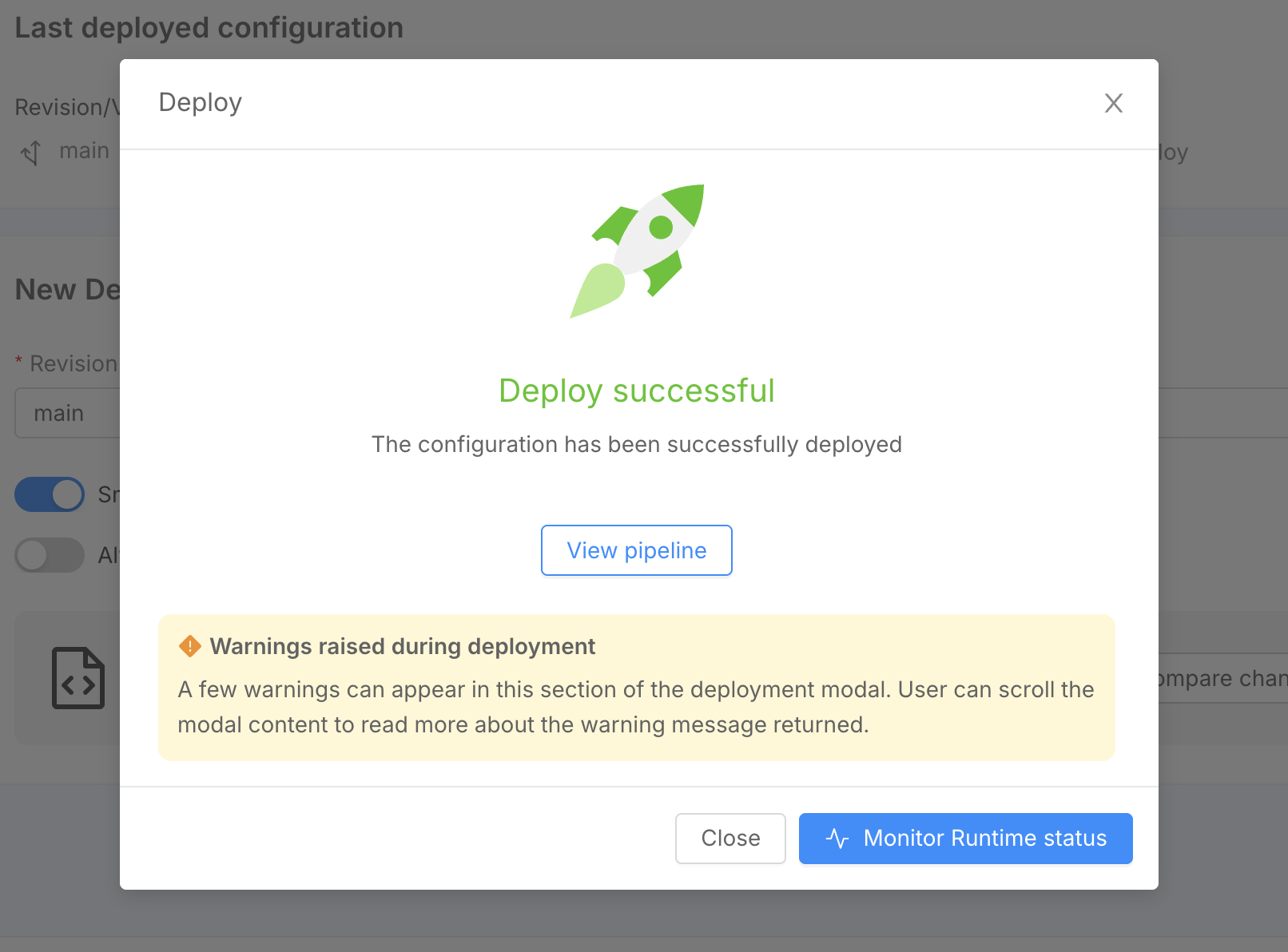
Optionally, the response can include a __warnings key at the same level as the file entries to surface warning messages to the user directly from the Deploy Area. The Console will extract this reserved key from the response object and handle it separately — it will not be treated as a file. The value of __warnings can be either a single string or an array of strings.
Example
{
    "values.yaml": "the content of the values file...",
    "my-service.deployment.yml": "the content of the deployment file for my-service...",
    "__warnings": "Some warning message to display to the user"
}
Or with multiple warnings:
{
    "values.yaml": "the content of the values file...",
    "my-service.deployment.yml": "the content of the deployment file for my-service...",
    "__warnings": [
        "First warning message",
        "Second warning message"
    ]
}
Error handling
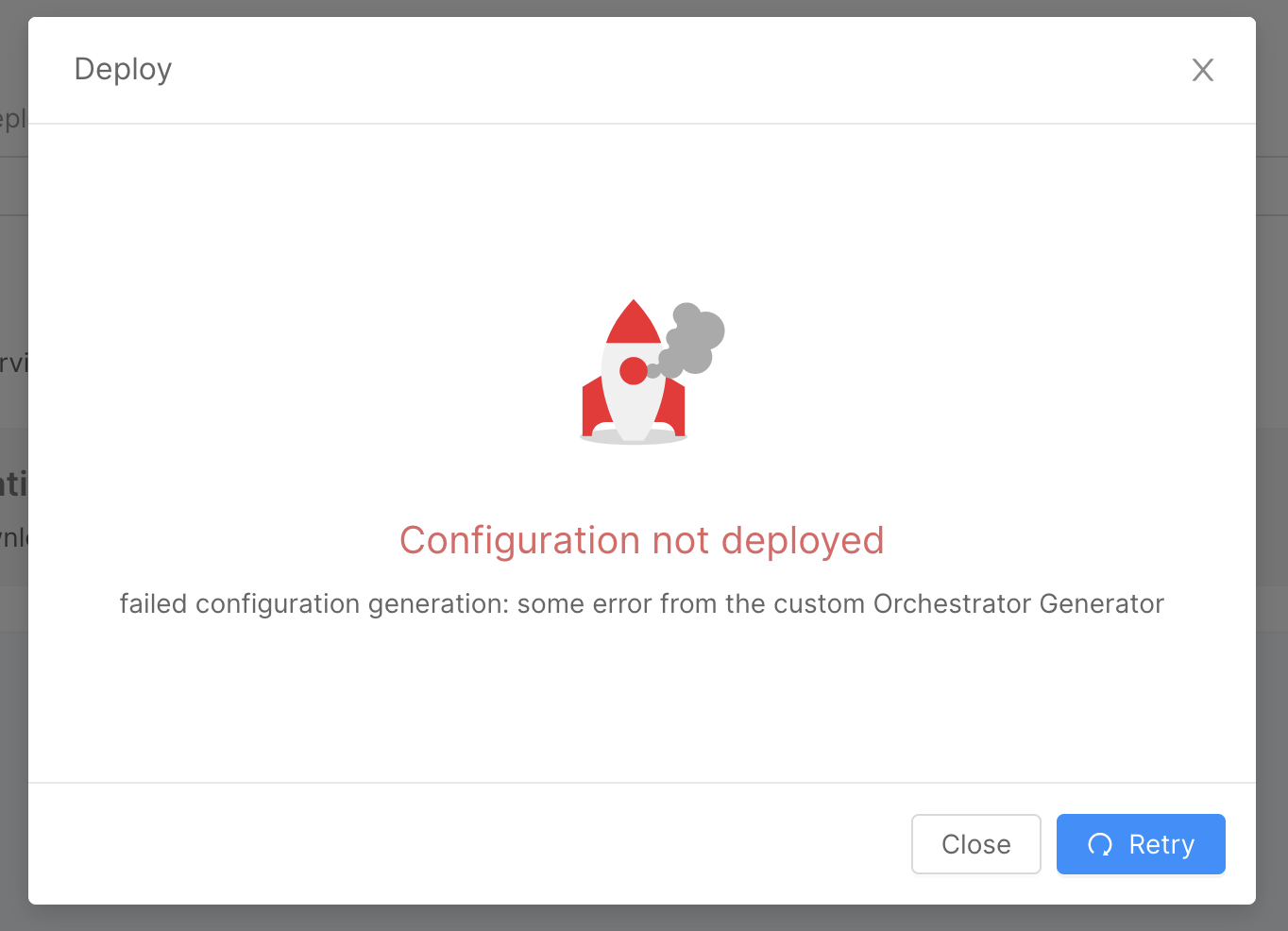
If something goes wrong and an error must be produced by the Orchestrator Generator, you can send a 500 status code and a payload that looks like this
{
   "error": "some technical error to be traced in service logs",
   "message": "some user facing error message that is propagated to the final user"
}
Use the message field to provide useful insights to the final user and help them resolve what have gone wrong with the configuration.
The user will receive your message in the failed deploy feedback modal
Warning handling
If the Orchestrator Generator response includes the __warnings key, the Console will extract it and display the warning messages to the user in the Deploy Area. Warnings do not block the deploy process, but are surfaced to provide useful feedback about the generated configuration.
Warnings are displayed in the following sections of the Deploy Area:
- the Deploy modal, after the deploy is triggered;
- the Compare changes section;
- the Review Configuration section.
Use the __warnings field to inform the user of non-blocking issues or relevant notices about the generated configuration, such as deprecations or sub-optimal settings.