Webhooks
Webhooks let the Catalog notify an external service whenever an item of a given Item Type is created, updated, or deleted — without that external service having to poll the Catalog for changes.
This is useful, for example, to trigger downstream automation (notifications, pipelines, or other systems) as soon as something relevant happens to items of a given type, removing the need for repetitive manual checks.
Where webhooks are configured
Webhooks are configured per Item Type, in its Webhooks tab: a webhook registered there fires for every item of that type, regardless of which specific item triggered the event.
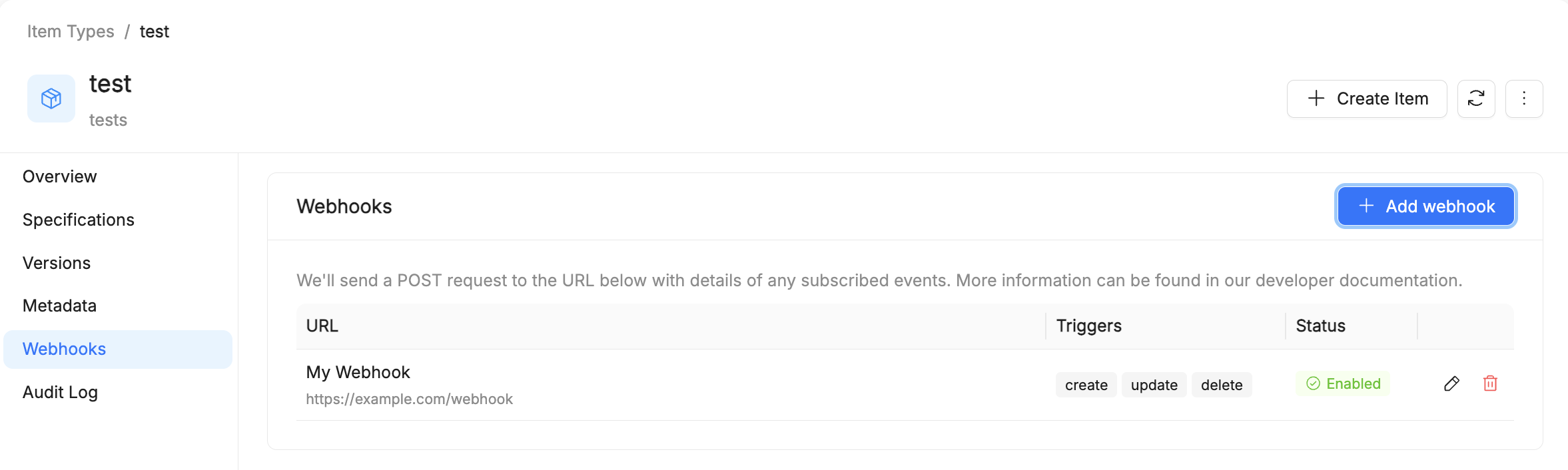
The table lists every webhook configured on the type, with its URL, the triggers it responds to, and its status (Enabled/Disabled).
Adding a webhook
From the Webhooks tab, Add webhook opens a form to register a new webhook. We'll send a POST request to the configured URL for each subscribed event.
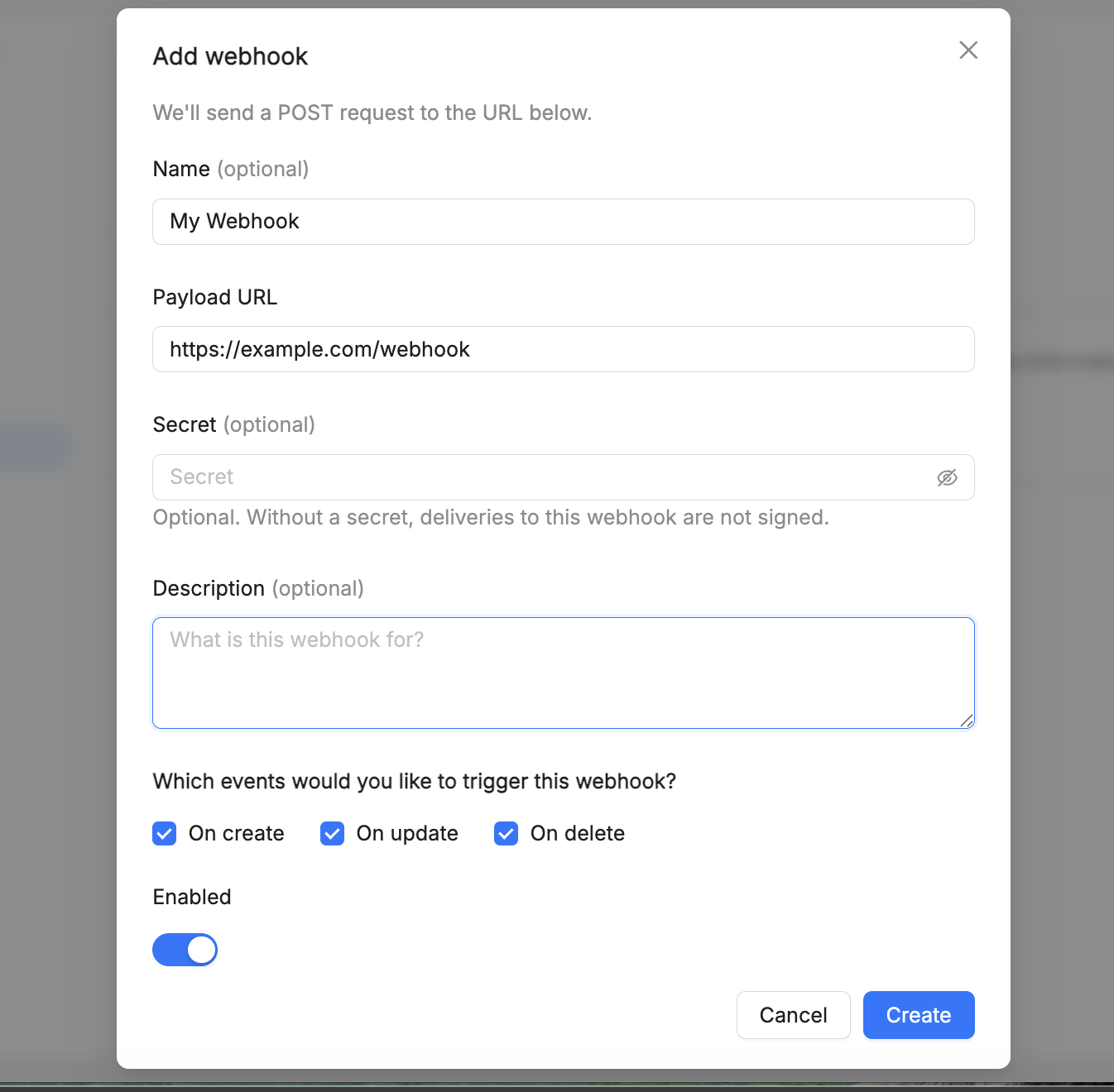
- Name (optional) — a label to identify the webhook in the list.
- Payload URL (required) — the external endpoint the
POSTrequest is sent to when the webhook fires. - Secret (optional) — used to sign the delivery. Without a secret, deliveries to this webhook are not signed. Signing keys are kept in an external OpenBao or Vault through the secret store service of the Catalog: if your installation does not enable it, creating or rotating a webhook with a secret fails (see the Catalog installation guide).
- Description (optional) — what the webhook is for.
- Which events would you like to trigger this webhook? —
On create,On update, andOn deletecan be enabled independently, so a webhook can respond to only the operations you care about. - Enabled — a toggle to activate the webhook immediately, or leave it registered but inactive.
Current limitations
- Only operations that modify an item are covered — a new version being created for an item (see Item Versioning) does not, on its own, fire a webhook.