History and Item Versioning
The Item Versioning feature in the Catalog lets you track changes to an item over time, compare revisions, browse its history, and roll back to a previous version.
User interface and history management
Selecting an item in the Catalog opens its detail view, which includes a History section with two tabs:
- All Revisions — a continuous log of every save and change made to the item, showing its timestamp, editor, and the version it's linked to (if any).
- Versions — the subset of revisions that have been promoted and saved under a dedicated name (e.g.
1.2.4), together with the author and, when provided, a description of that version.
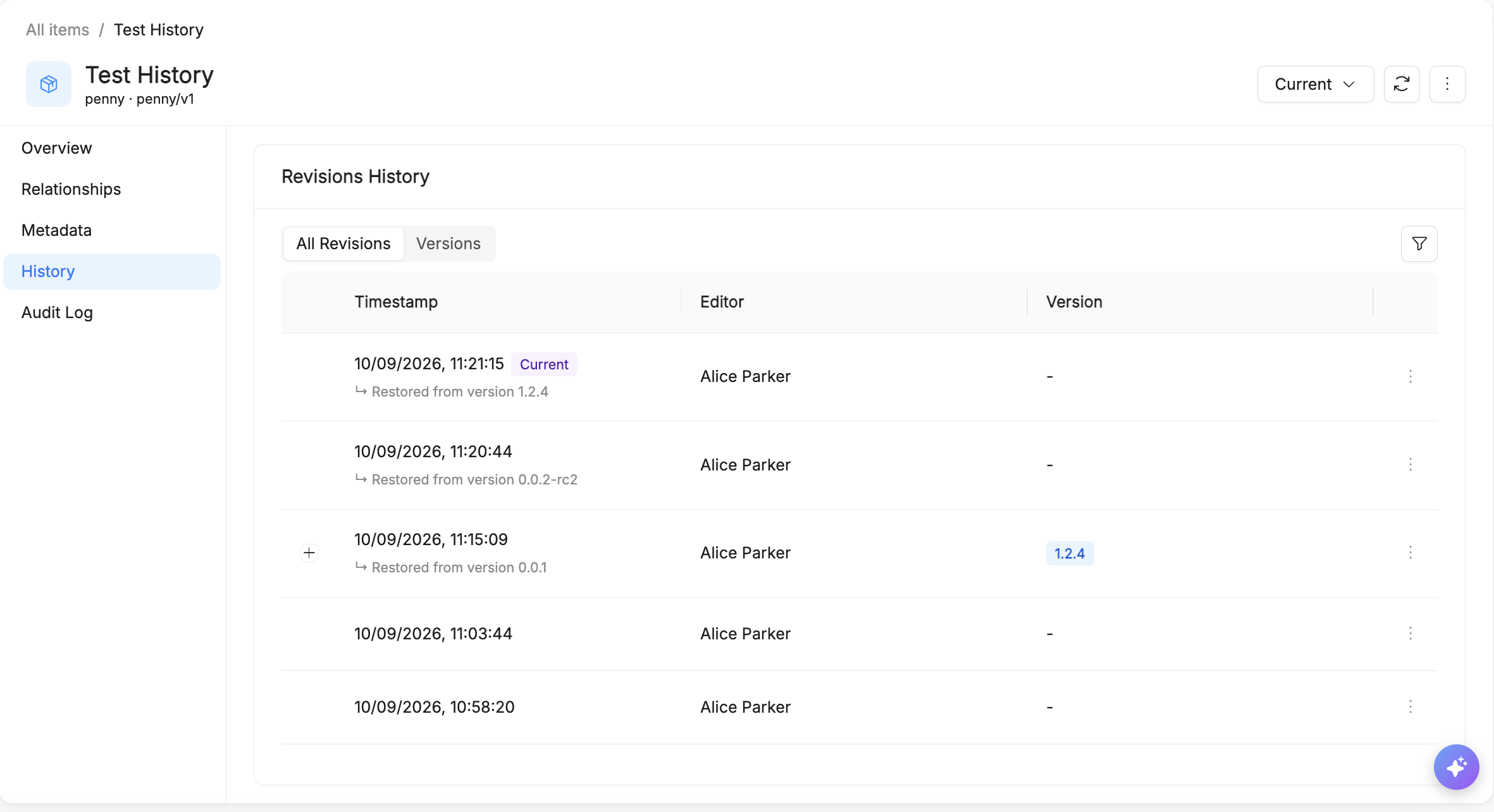
The banner at the top right — showing Current by default — lets you switch to viewing any past version or revision. While viewing a non-current state, a banner shows which version/revision you're looking at and its timestamp, with shortcuts to go Back to current or Restore that state directly.

Operations on versions
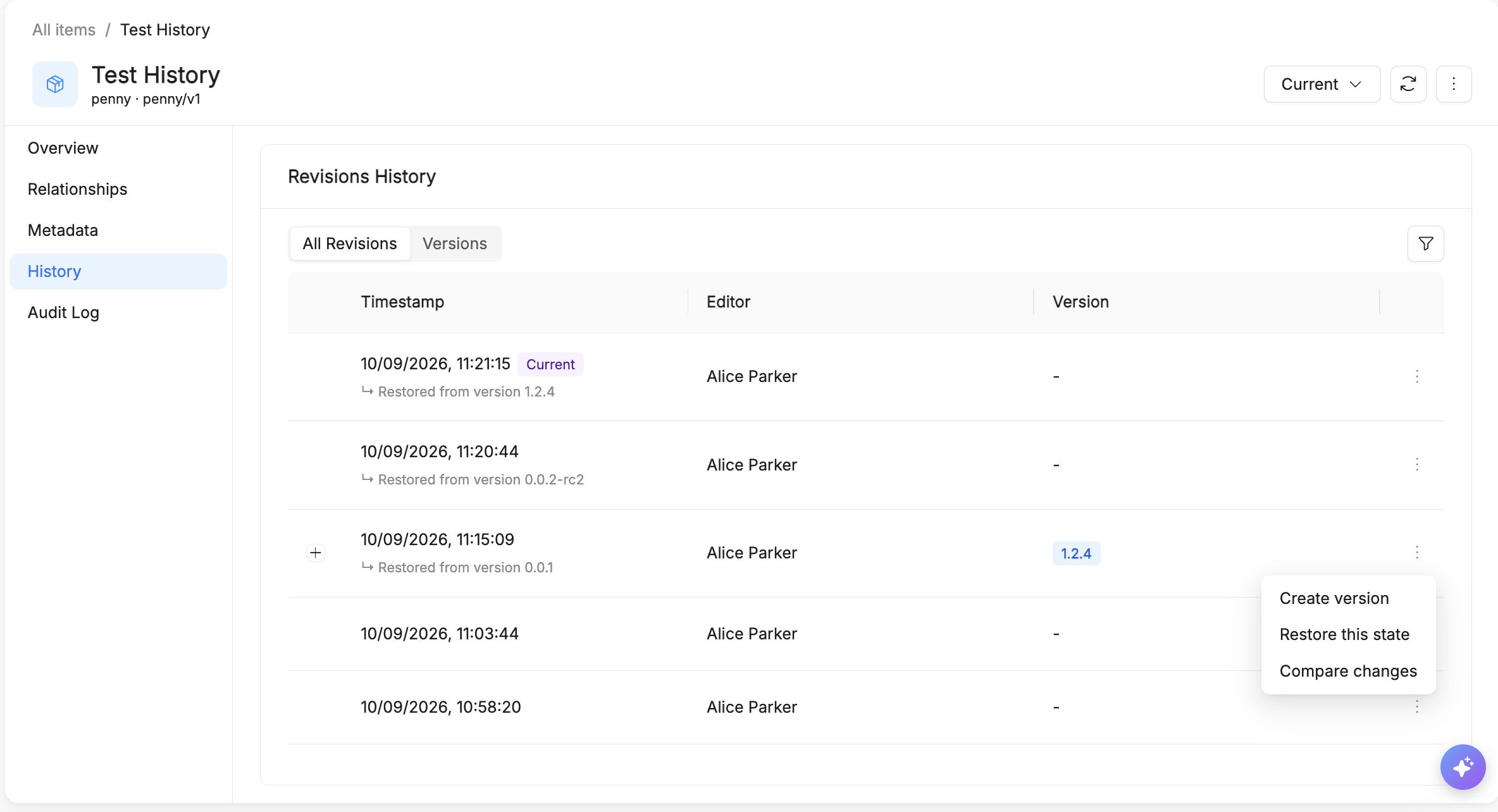
From the row actions menu (⋮) on an entry in All Revisions or Versions, the following actions are available:
- Create version — promote that revision to a named version.
- Restore this state — roll the item back to that revision or version.
- Compare changes — open a line-by-line diff against another state.
Configurability per Item Type
Versioning is configured on the Item Type itself, under Revisions History:
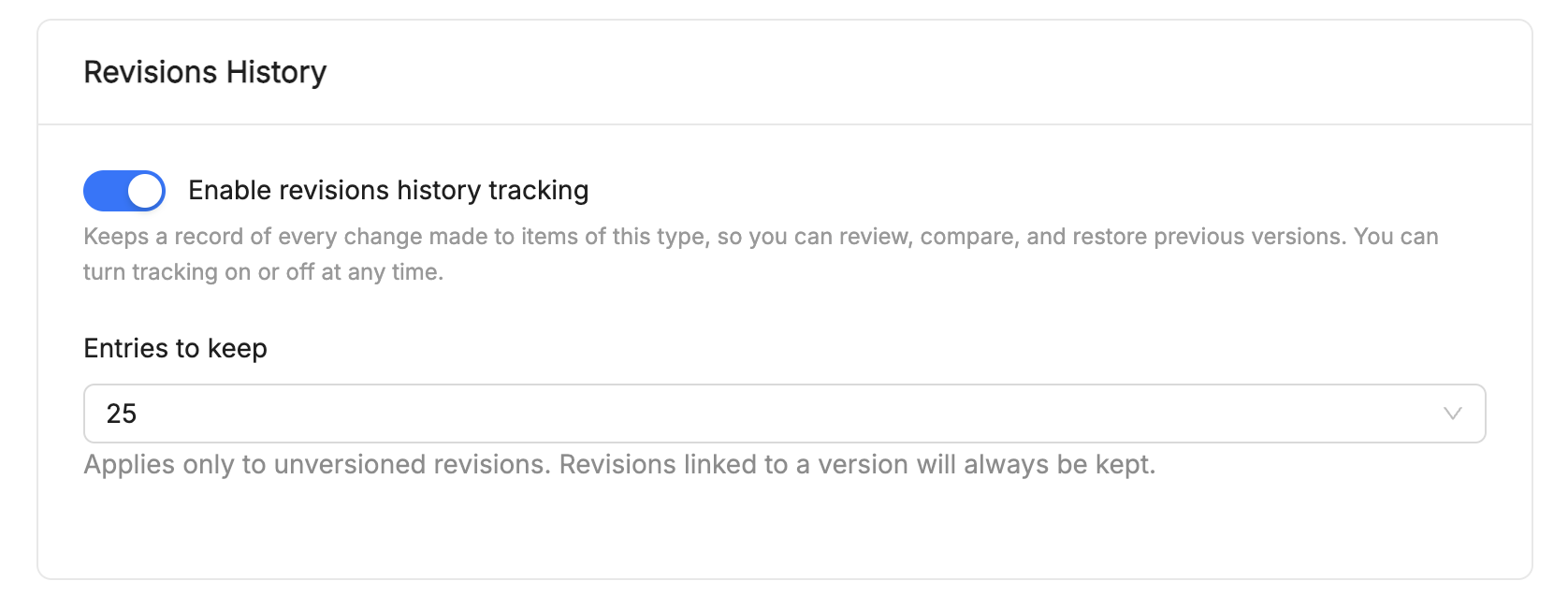
- Enable revisions history tracking — a toggle that turns tracking on or off for every item of that type. It keeps a record of every change, so it can be reviewed, compared, and restored, and it can be switched on or off at any time.
- Entries to keep — how many revisions to retain (e.g.
25). This limit applies only to unversioned revisions: any revision linked to a named version is always kept, regardless of this setting.
Working with versions
Creating a version
When you promote a revision to a version, the version name is mandatory, while the description is optional. Only users who can edit the item can create a version.
Viewing a version
The version selector at the top lets you switch between Current and any version or revision. All the tabs of the item (Overview, Relationships, Metadata, History) show the state you selected, and its fields are read-only. Back to current brings you back to the current state of the item.
Comparing versions
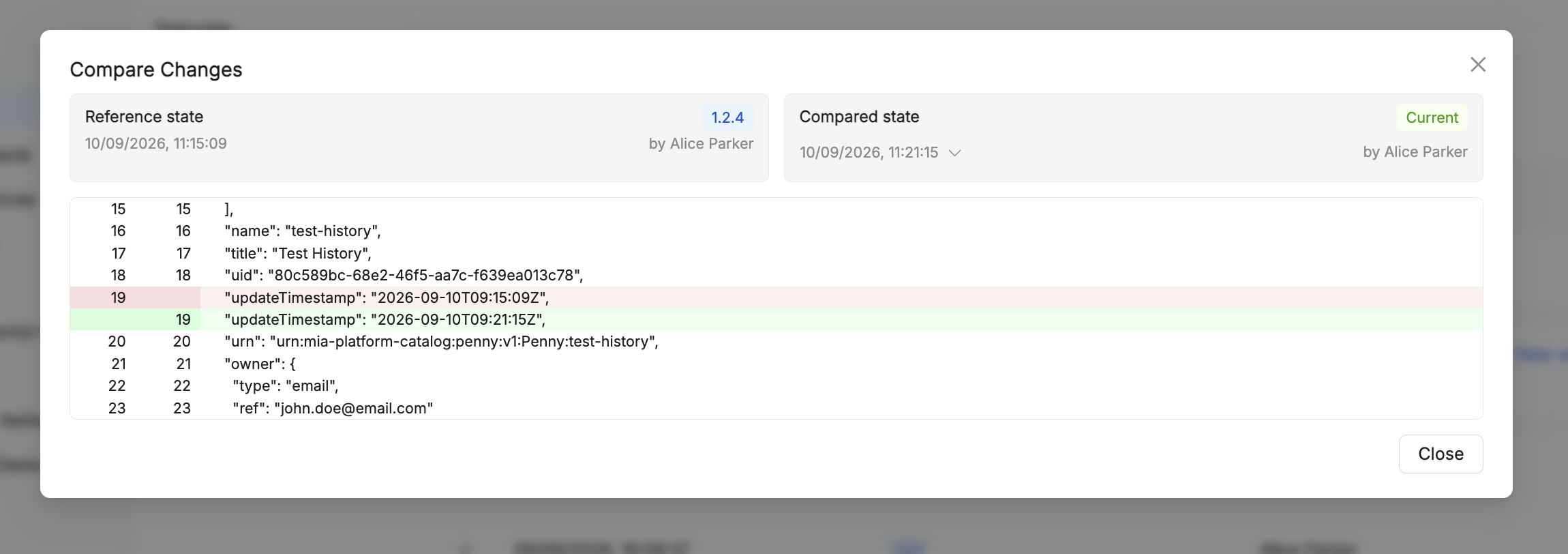
The Compare Changes dialog lets you pick a Reference state and a Compared state (each a specific version, revision, or Current) and shows the two JSON snapshots as a line-by-line diff, with changed lines highlighted. You can compare Current with a previous state, or two previous states with each other.
Editing a version
You can change the name and the description of a version. Editing them changes only the version's metadata, never the content of the item it refers to.
Versions cannot be deleted.