Playbook
A Playbook is a catalog resource that describes a conversational, multi-agent flow. It connects Agents in a directed graph and attaches the prompts, skills, and spec templates they share. A playbook is what you chat with: the AI Playground selects playbooks, not individual agents, and playbooks are what AI Foundry publishes as IDE plugins through Connections.
A playbook orchestrates agents inside a conversation: a root agent can hand off to sub-agents, and flow controllers run agents one after another, all at once, or repeatedly. For work that must run deterministically outside a conversation (on a schedule, from a webhook, or with human approvals), use an Agentic Workflow, which calls playbooks from its steps.
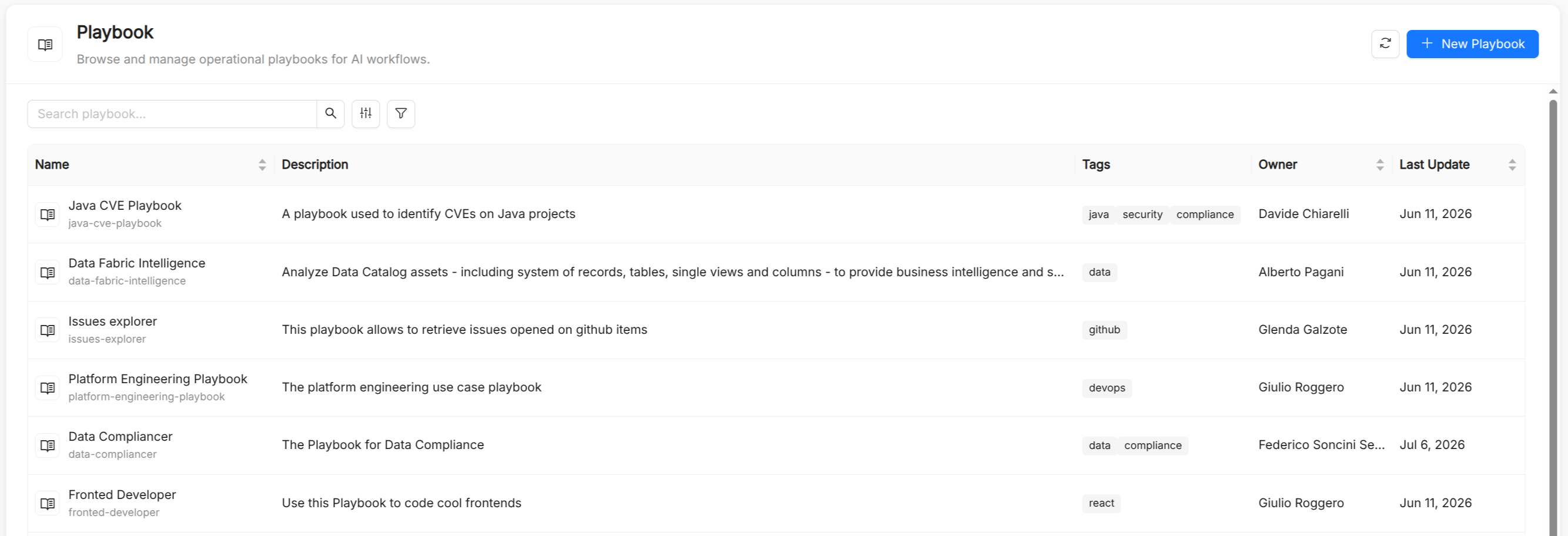
Playbook reference
Besides the common metadata of every catalog resource (Title, Name, Description, and Tags), a playbook has the following spec fields.
| Field | Type | Required | Description |
|---|---|---|---|
description | string | No | Description of the playbook's purpose. |
flow.nodes | array | No | Nodes of the flow. See Flow nodes. |
flow.edges | array | No | Connections between nodes, each with a source and a target node id. Every edge makes the target a sub-agent of the source. |
prompts | array | No | Names of the Prompts available in the playbook, also offered as slash commands. |
skills | array | No | Names of the Skills available to the agents of the playbook. |
spectemplates | array | No | Names of the Spec Templates available to the agents of the playbook. |
miaFlow.mode | string | No | Default launch mode in Mia Flow: chat, code, or both. Defaults to chat. |
miaFlow.showOnHome | boolean | No | Shows the playbook as a quick-launch button on the Mia Flow home screen. Defaults to false. |
Flow nodes
| Field | Type | Required | Description |
|---|---|---|---|
id | string | Yes | Node identifier, referenced by edges. |
label | string | Yes | Name shown on the canvas. |
type | string | Yes | agent for a node backed by an Agent, or sequential, parallel, loop for a flow controller. |
position | object | Yes | Canvas coordinates (x, y). |
ref | string | No | For agent nodes, the name of the referenced Agent. |
description | string | No | Free-text description of the node. |
maxIterations | integer | No | For loop nodes, the maximum number of rounds. Defaults to 5. |
exitWhen | string | No | For loop nodes, a condition that ends the loop early. See Loops. |
Playbook flow model
The flow is read with a small set of rules:
- Every edge makes the target a sub-agent of the source. A plain agent with sub-agents may hand off to them: the model decides at run time.
- The root agent is the node no edge points at. The builder warns you when the flow has no agent or has more than one node without a parent.
- Each agent has a single parent. Two nodes pointing at the same child are not allowed.
- Flow controllers run their children deterministically, in the order the connections were drawn. You can reorder the children from the node on the canvas.
The palette offers three Flow Controllers:
| Controller | Behavior |
|---|---|
| Sequential | Runs the connected agents one after another. Each agent sees what the previous ones produced. |
| Parallel | Starts all connected agents at the same time from the same input. They do not see each other's results; to use them afterwards, give each agent an Output Key and read it as {the_key} in the instructions of an agent that runs later. |
| Loop | Runs the connected agents in order, round after round, up to Rounds (max iterations). |
Loops
A loop ends after its last round, or earlier in two ways:
- every agent inside a loop is given a tool to end it, which the model may call;
- the optional Exit when condition is checked at the end of every round against the values agents wrote through their output key. It is a single comparison, such as
review == APPROVED,score >= 0.8, ortodos is empty. Supported operators are==,!=,>,>=,<,<=,contains,not contains,is empty, andis not empty; string comparisons ignore case and surrounding whitespace.
Because the model may never call the exit tool, set Exit when or a sensible round limit: each round runs every connected agent, so the limit also caps model calls.
Built-in Agent
Instead of catalog agents, a playbook can contain a single Built-in Agent node: an external AI agent not managed by the catalog, such as a model provider or third-party assistant. A Built-in Agent cannot be combined with catalog agents or flow controllers in the same flow.
The visual builder
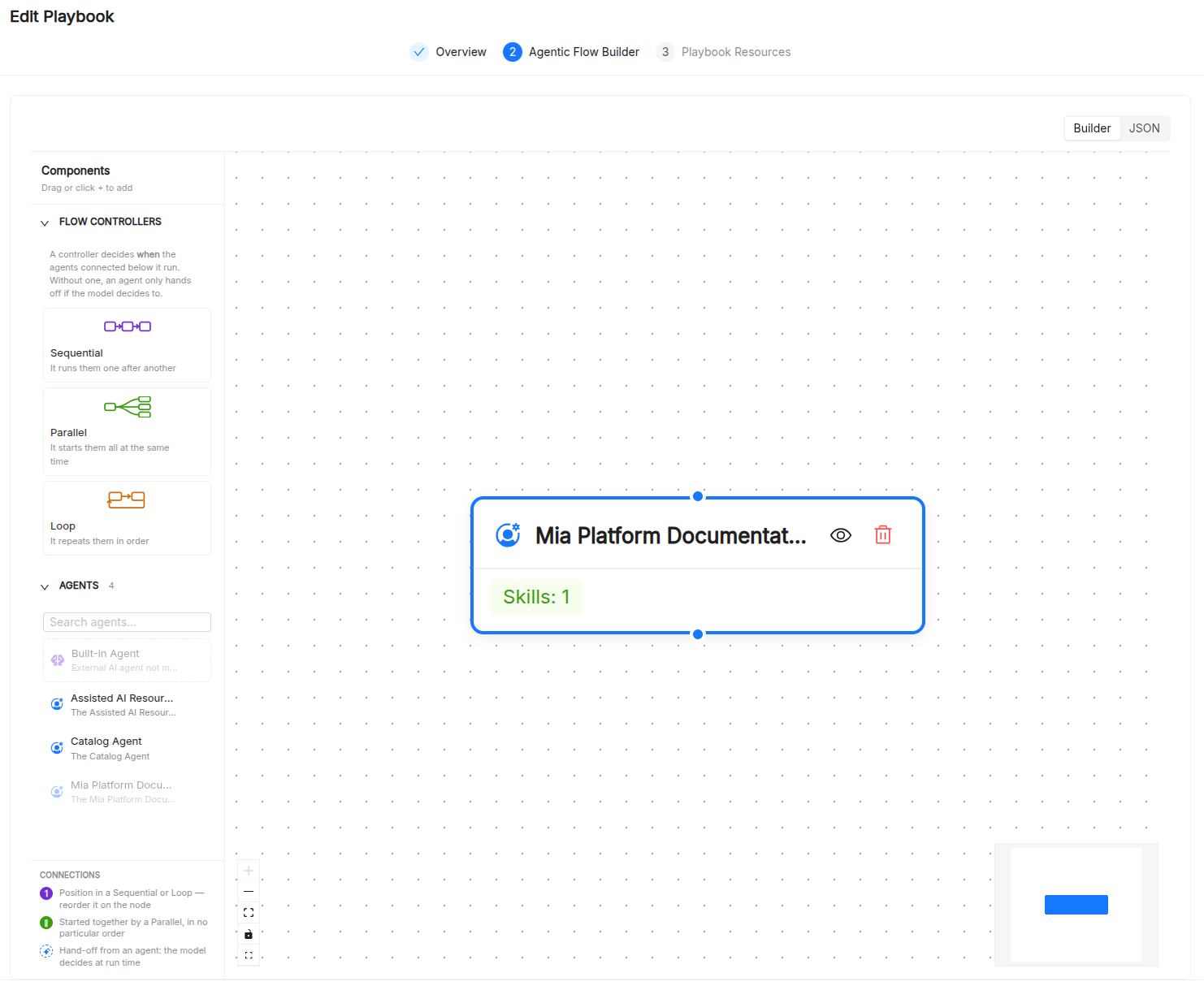
The Playbook Builder is a three-step wizard:
- Overview: set Title, Name, Description, and Tags. The Configuration section holds the Mia Flow integration: Enable on Mia Flow, and, when enabled, Show on Home and Launch Mode (
Chat,Code, orBoth). - Agent Graph Builder: drag agents, the Built-in Agent, and flow controllers from the palette onto the canvas, draw edges between them, and configure each node. A Builder/JSON toggle replaces the canvas with a full-spec JSON editor, useful for bulk edits or for copying playbooks across environments.
- Playbook Resources: attach Prompts, Skills, and Spec Templates using multi-select pickers.
Playbook assistant
Instead of starting from an empty playbook, you can use the playbook assistant. When you click its button, the assistant opens with a template to fill in with your use case, and helps you turn it into a playbook.
See also
- Agent: the execution unit referenced by playbook nodes.
- Agentic Workflow: durable, triggerable processes that call playbooks.
- Prompt: reusable text attached to playbooks.
- Skill: reusable capabilities available to the playbook's agents.
- Spec Templates: structured documents referenced by playbooks.
- AI Sessions: monitoring of playbook conversations.