Model
A Model is a catalog resource that makes a large language model (LLM) available to your agents. It decouples the LLM choice from the agents that use it: agents reference a model by name, so you can swap the underlying provider model, or rotate the credential that pays for it, by changing only the Model resource, without touching any Agent.
Every model is served through the AI Gateway, built on LiteLLM. A model therefore lives in two places: the gateway holds how the model is called and whose credential pays for it, while the Catalog holds who may see it. AI Foundry writes both together: on creation the model is registered on the gateway first and published in the Catalog only afterwards, and a failed write is rolled back, so the Catalog never advertises a model the gateway cannot serve.
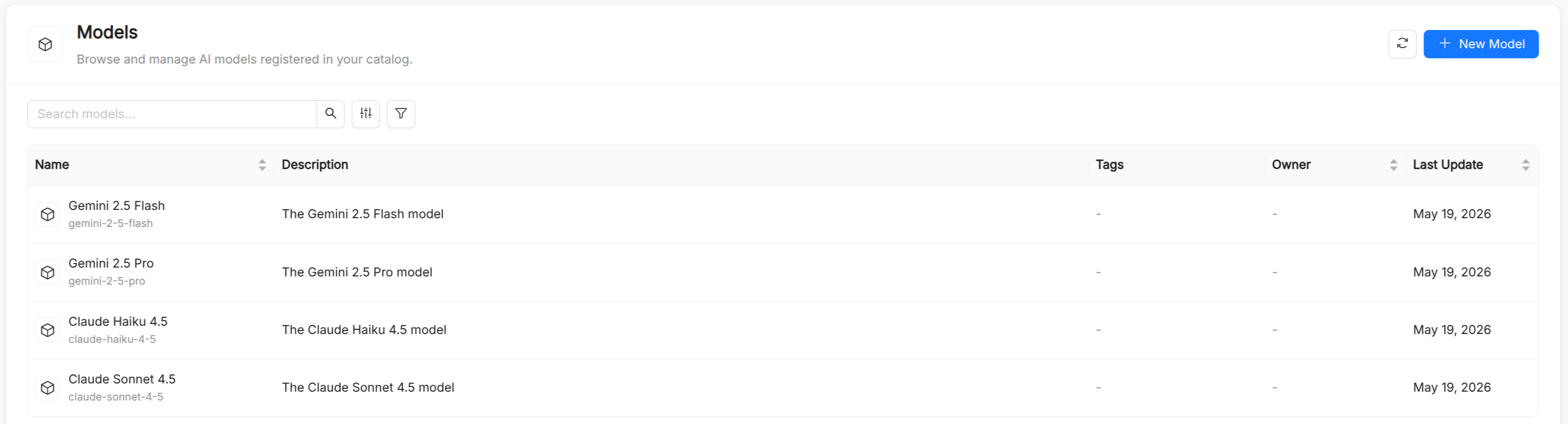
Model reference
Besides the common metadata (Title, Description, and optional Tags), a model has a Name: its unique identifier, auto-derived from the title and immutable after creation. Because the name also identifies the model on the gateway, it can contain only lowercase letters, digits, and hyphens, and cannot start or end with a hyphen. Agents reference it in spec.model.
| Field | Type | Required | Description |
|---|---|---|---|
type | string | Yes | The provider-qualified model string, for example vertex_ai/gemini-2.5-pro, claude-sonnet-5-5, or claude-haiku-5-5. Set through the Model Name field of the creation form. |
provider | string | Yes | Human-readable provider label shown in the model list and in Observability filters. It is derived automatically from the selected provider, so you never type it. |
upstreamModel | string | No | The provider-prefixed model the gateway actually calls. Defaults to type. |
mode | string | No | What kind of model this is: chat (the gateway default), embedding, rerank, image_generation, audio_transcription, audio_speech, moderation, or responses. It decides how the gateway tests the model and what it offers it for. |
credentialName | string | No | The name of a shared LLM Credential that pays for this model. Mutually exclusive with a credential of the model's own. |
gatewayParams | object | No | How the gateway calls the model, in LiteLLM's own vocabulary (litellm_params): connection, provider placement, limits and budget, cost overrides, and routing. See Advanced settings. |
modelInfo | object | No | What the gateway records about the model, such as base_model (which price entry applies to a deployment with a custom name) and tier. |
arguments | object | No | Default generation parameters the agent runtime sends with every request, for example temperature or max_output_tokens. An agent can override them with its own model_arguments. |
identifier | string | No | The gateway entry this model is registered as. Managed by AI Foundry: do not set it by hand. |
A few older fields are still accepted for backward compatibility but are no longer offered by the form: url and secretVar are ignored by the runtime, supportsTools and supportsVision are not read at runtime, and contextWindow is looked up by the runtime from the gateway. backend and litellm are low-level overrides of how the runtime calls the model, which you can set only in the JSON view.
Creating a model
The creation form is a three-step wizard: Overview, Configuration, and Advanced. You can create the model as soon as you complete Configuration; everything in Advanced has a working default on the gateway. The Configuration and Advanced steps also offer a JSON view where you can edit the whole spec by hand.
- Overview: set the title, name, description, and tags.
- Configuration:
- Provider: the provider the gateway calls. The list is read live from the gateway, and the provider you pick decides which models are offered and which credential fields are asked for.
- Model Name: the upstream model, picked from the provider's catalogue or typed for a model the catalogue does not know yet.
- Mode: leave it empty for chat models; set it for embedding, reranking, and other kinds of models.
- LLM Credential: pick a shared credential, or choose This model's own API key and enter the fields the provider authenticates with.
- Advanced: optional gateway parameters and the model's Runtime Arguments.
Before a model is saved, the gateway places one real test call to the provider. If you did not enter any credential, or the provider refuses the test, a dialog lets you go back and fix the credential or choose Create without testing, for example when the gateway pays for the model through a subscription or a key in its own environment.
Reasoning effort
For models that support extended reasoning, you can set the reasoning effort: how much the model thinks before answering. A higher effort can improve the quality of answers to complex tasks, at the cost of more tokens and latency; a lower effort is faster and cheaper.
Credentials
A provider credential is stored encrypted on the gateway and is never shown again after you save it. It is never written into the model's spec, which every viewer of the tenant can read. You can pay for a model in two ways:
- A shared LLM Credential, managed under Administration > LLM Credentials. One credential can be shared by several models, and rotating it updates all of them at once.
- A key of the model's own, for a key nothing else should be able to use. You rotate it from the model's detail page with Rotate credential.
From the model's detail page you can also run Test connection, which asks the gateway to place a live call and reports whether the model is answering. The check runs only on demand, because it consumes provider quota, and only people who can edit models can run it.
Advanced settings
The Advanced step groups the gateway parameters as follows:
| Group | What it controls |
|---|---|
| Connection | The provider endpoint (api_base), API version, organization, and whether to force the chat-completions API. |
| Provider Placement | Where the model runs, for providers that need it, such as vertex_project and vertex_location. |
| Limits and Budget | Requests and tokens per minute, spend ceiling (max_budget) and its reset window (budget_duration), timeouts, retries, and the default limits given to virtual keys. |
| Cost Overrides | Per-token prices that override the gateway's price map, for self-hosted models or negotiated rates. |
| Routing and Attribution | Traffic weight, gateway-side tags, and tag patterns used for routing and spend attribution. |
| Embedding | The output vector size, for models in embedding mode. |
| Model Metadata | The modelInfo fields, such as base_model. |
| Other Gateway Parameters | Any other LiteLLM parameter, passed to the gateway verbatim. |
| Runtime Arguments | The arguments JSON object that the agent runtime sends with each request. Unlike the other groups, these are not stored on the gateway. |
Limits on a model apply to every caller, independently of the limits on each virtual key. A max_budget without a budget_duration is a lifetime cap: once it is reached, the model keeps refusing calls.
Access and cost
Each tenant calls models through its own virtual key, and spend is tracked per tenant. Administrators can further restrict which models a user or a team can call through Virtual Keys and Teams.
The gateway prices every call from its own price map, and AI Foundry keeps the prices used by Observability aligned with it. When they do not match, the Models page shows a banner listing the affected models; users with write permission on models can align the prices from there.